Your notes, as a real graph.
Typed Graph is an Obsidian plugin that turns links into typed, signed, labeled edges with properties, lets you query them with openCypher, and draws them as a graph that looks like what it means. Developers get tg, a CLI that ties your code to your design docs.

Write edges like you write notes
One line per edge, right where it belongs. Plain type:: [[Target]] lines from Graph Link Types keep working; add a sign and properties when you need them.
---
type: Person
role: research lead
---
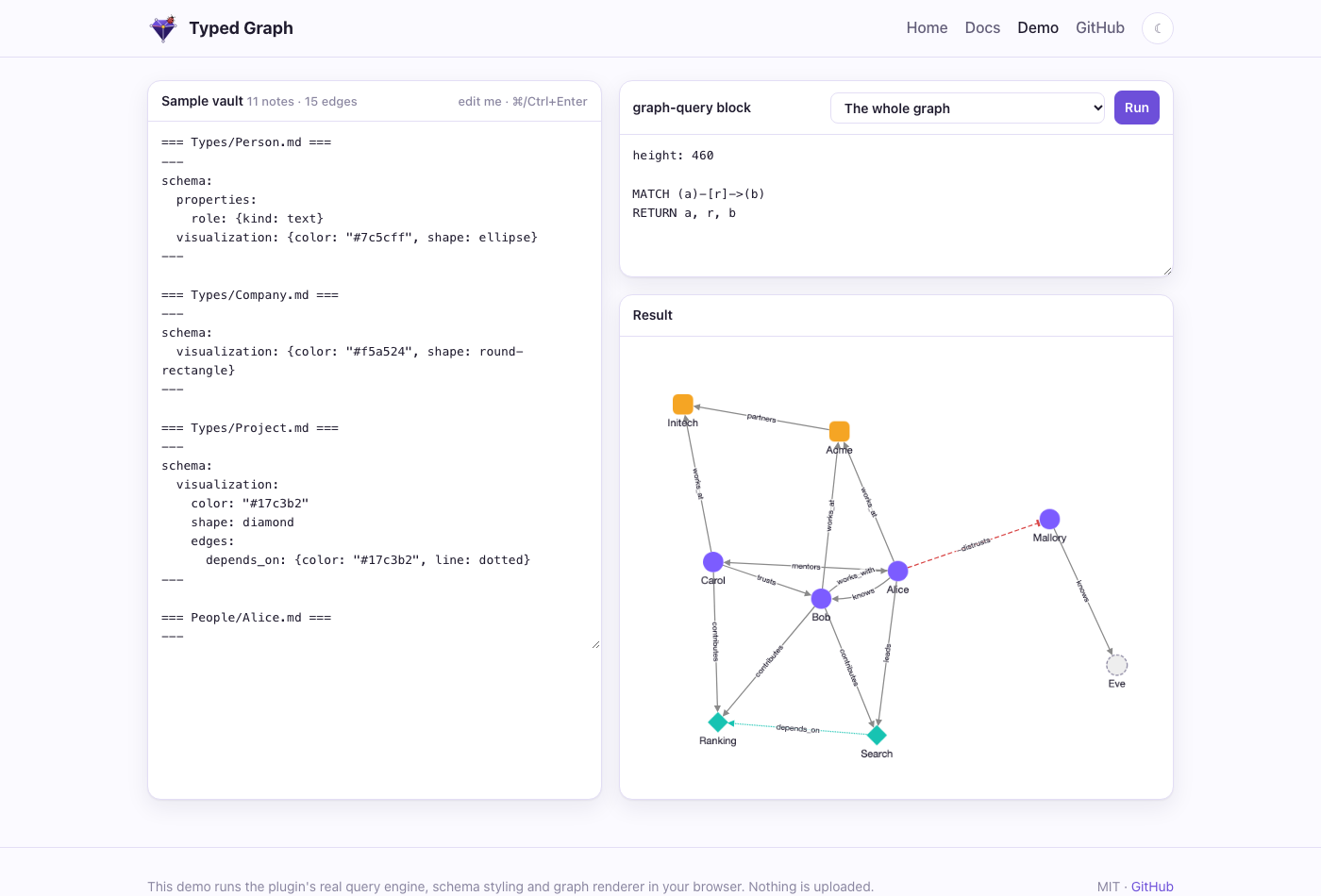
knows:: [[Bob]] {since: 2020, label: "met at NeurIPS"}
works_at:: [[Acme]]
-distrusts:: [[Mallory]] {id: "alice-mallory"}
Ask it questions
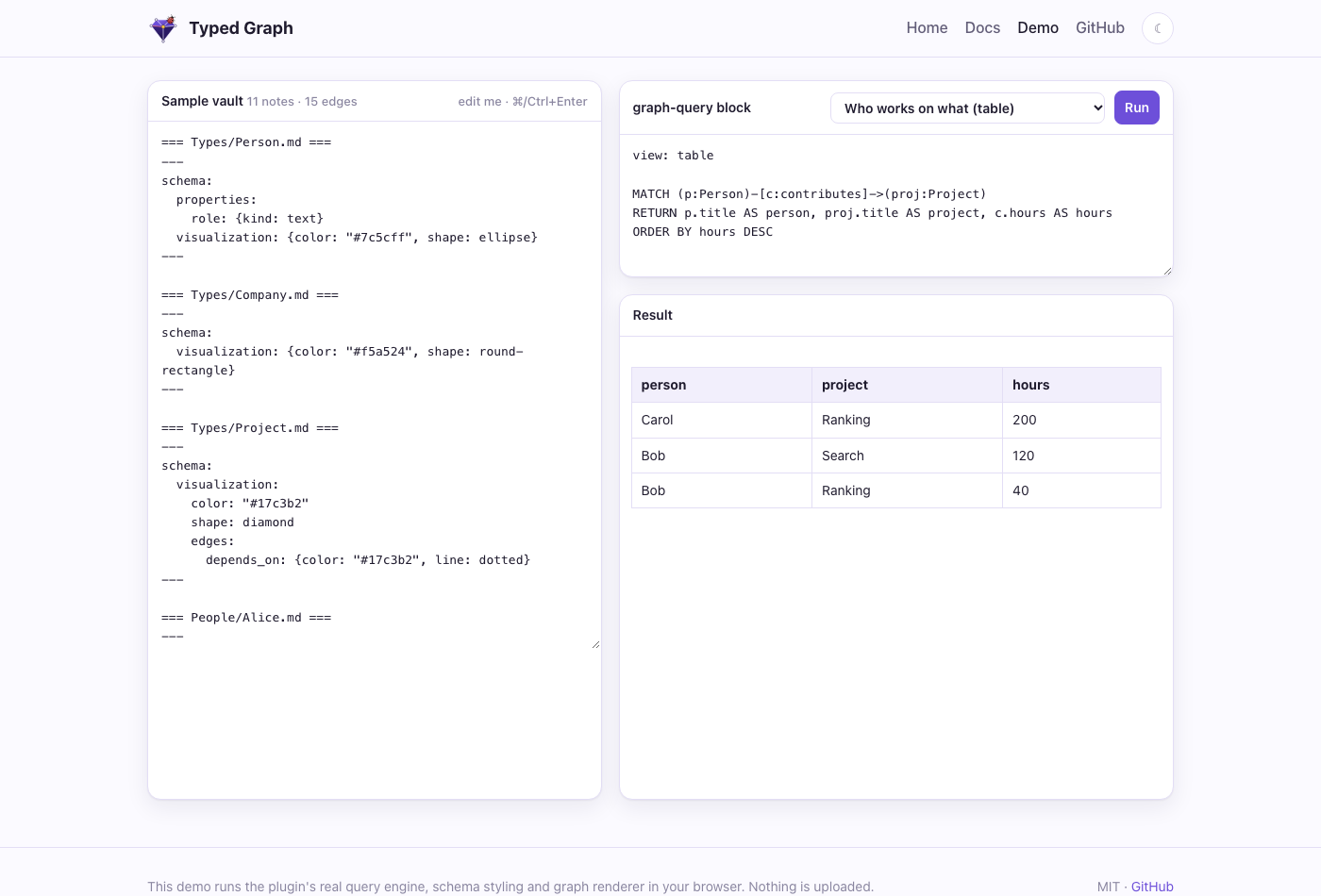
A graph-query block runs openCypher and shows a graph or a table, live, as the vault changes.
```graph-query
MATCH (p:Person)-[c:contributes]->(proj:Project)
RETURN p.title AS person, proj.title AS project,
       c.hours AS hours
ORDER BY hours DESC
```
Screenshots
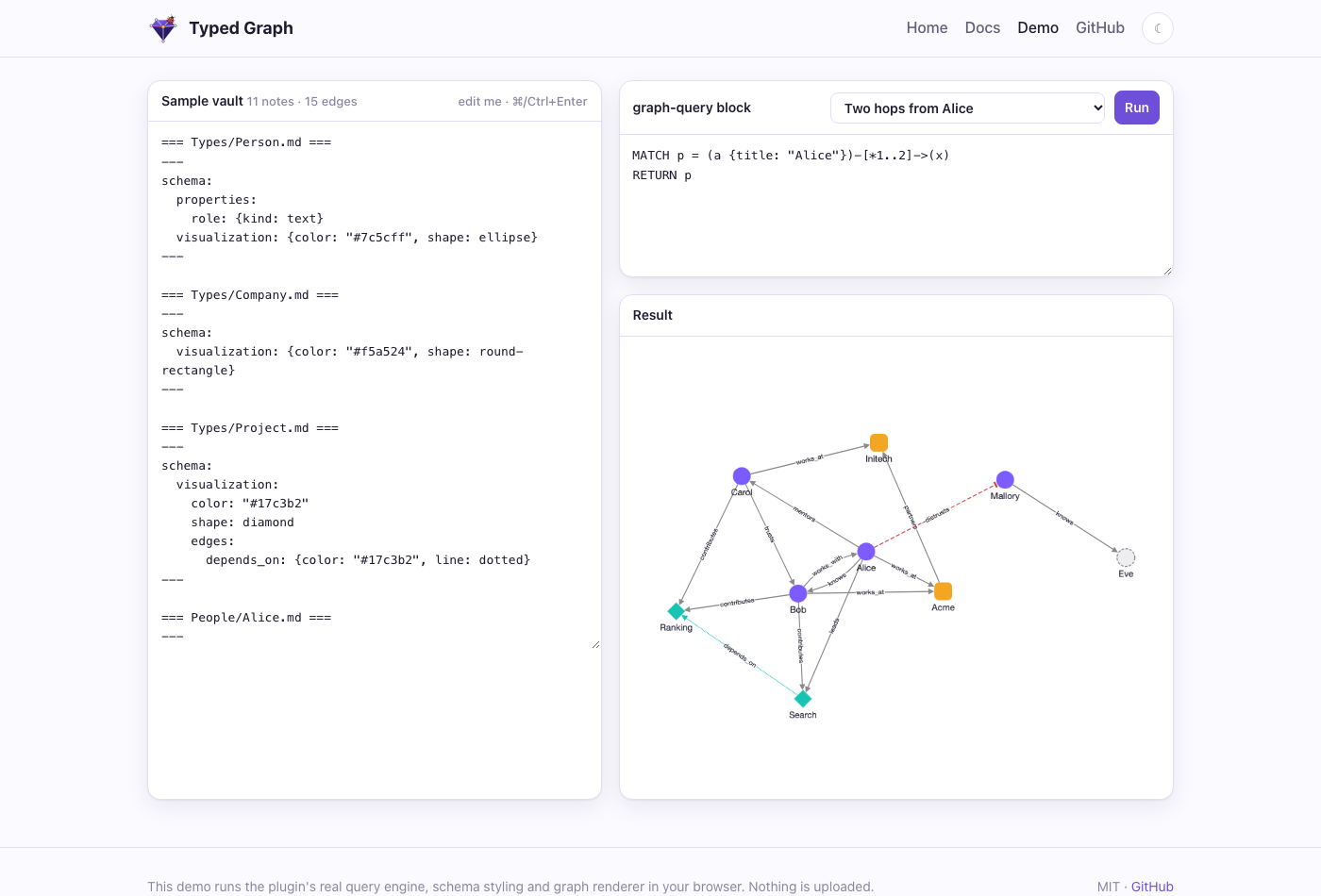
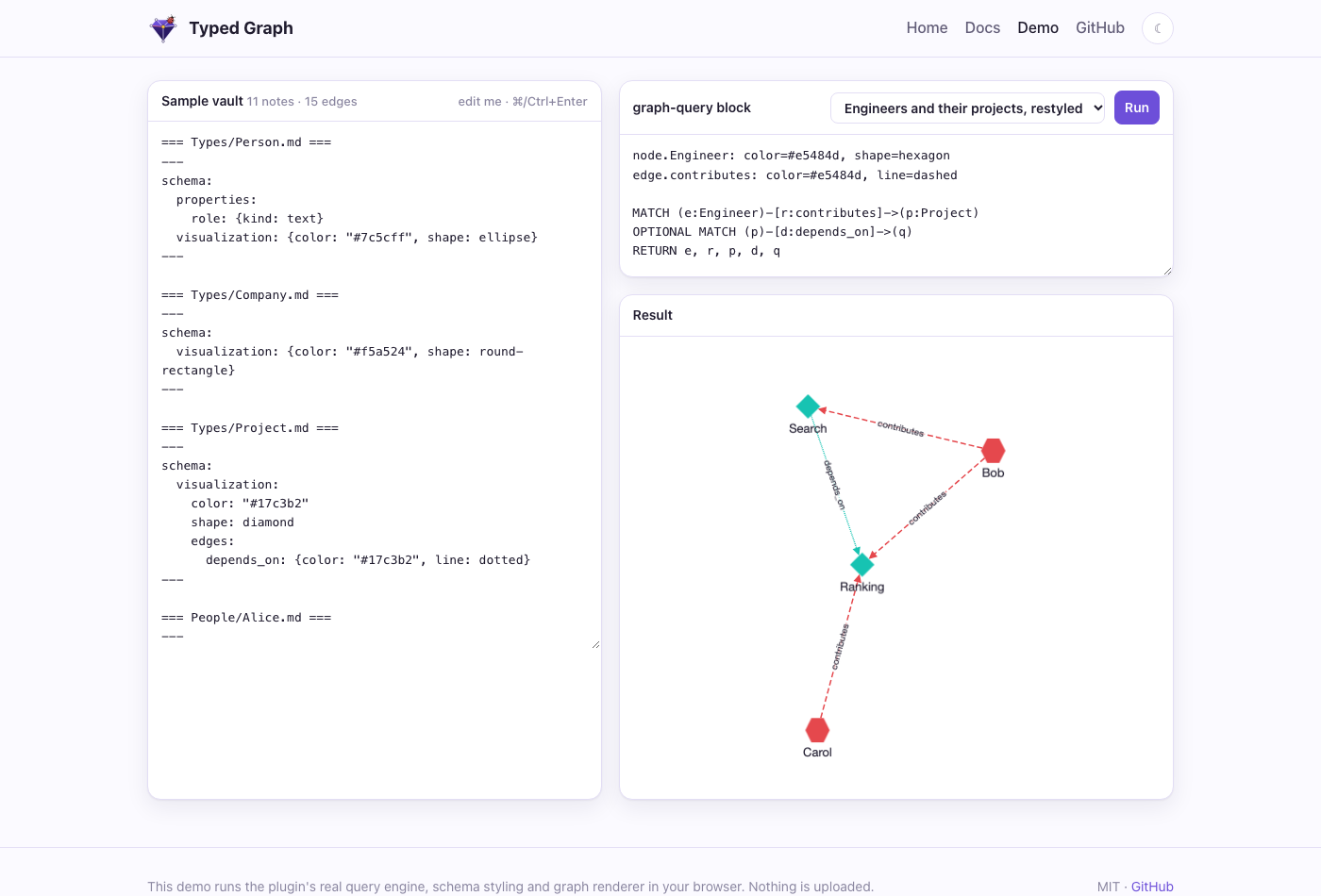
Rendered by the plugin's own engine and renderer — the same ones you can poke at in the live demo.
Everything a graph needs
From a quick typed link to RAG-ready storage for agents.
Typed, signed edges
type:: [[X]], a - prefix for negative edges, properties in braces, stable or pinned ids.
Typed nodes & schemas
Frontmatter type gives labels; schema notes declare properties, allowed edges, templates and looks.
openCypher
MATCH, OPTIONAL MATCH, WITH, aggregation, variable-length paths — read-only, with clear errors.
Graph view
A full-pane explorer that follows the active note, expands neighbors and explains every style.
Edge property embeds
{{edge: Alice -knows-> Bob . since}} shows a value in prose and warns about unstable references.
LadybugDB mirror
An optional sidecar mirrors the graph into LadybugDB for full Cypher, verified against the built-in engine.
Vector search
Local Ollama embeddings over note chunks and edge sentences; combine hits with graph traversal.
GraphRAG & MCP
Cited retrieval over hits and their neighbors, served to agents through an MCP server.
For developers: tg
A command line that keeps design docs honest against the code, lets code point back at the docs with typed edges, and gives coding agents the result. It reads the same lat.md/ folders as lat.md and agrees with its check.
$ tg check
Scanned 39 .md, 87 .ts ...
All checks passed

$ tg search "how are tokens validated"
$ tg cypher "MATCH (c:CodeSymbol)-[:implements]->(s:Section)
             RETURN s.title, count(c)"
$ tg init              # dry run: shows every file it would touch
// @lat: [[auth#Token expiry]]
export function verifyToken(t: string) {}

// @tg: implements:: [[auth#Token expiry]] {since: 2}
// @tg: -contradicts:: [[design#Stateless sessions]]
function legacyCheck() {}
Check docs against code
Links, symbols, section rules, index files and test-spec coverage, as a CI gate or an agent hook. Same verdicts as lat.md.
Typed edges from code
@tg: comments add a type, a sign and properties to a link from a function to a design section.
Cypher over docs and code
Sections and code symbols are nodes in one graph: which sections have no implementation, which are implemented by most.
Search with no setup
Lexical ranking needs no model or key, so it runs in a fresh clone. Add Ollama or an OpenAI-compatible endpoint for hybrid search.
Agents and MCP
tg init installs hooks, instructions and two skills for Claude Code and Cursor; tg mcp serves eight tools. Nothing is written without --write.
Obsidian and export
The plugin opens lat.md links in place and draws code nodes. tg export and tg import move content between a vault and a lat.md folder.
npm install -g @typedgraph/cli
How it fits together
Markdown stays the only source of truth. Everything else is derived and rebuildable.
core TypeScript
Edge parser, graph model, schemas, styles, openCypher engine, chunking. No Obsidian APIs.
plugin Obsidian
Query blocks, graph view, embeds, diagnostics. Works on desktop and mobile.
sidecar optional
Headless service over a read-only vault: REST, MCP, LadybugDB mirror, vectors.
tg CLI
One bundled binary on the same core: check, search, query, agent setup, export. No Obsidian needed.
Install
- From Obsidian: open Typed Graph in Obsidian and click Install, or go to Settings → Community plugins → Browse → search Typed Graph. It is listed in the community plugin directory.
- Beta builds, with BRAT: install the BRAT plugin, then Add beta plugin →
Volland/obsigraph. - Manually: download
main.js,manifest.jsonandstyles.cssfrom the latest release into<vault>/.obsidian/plugins/typed-graph/and enable it.
For agents
Run the sidecar next to your vault and give your agent the graph:
claude mcp add typed-graph \
  -e OBSIGRAPH_VAULT=/path/to/vault \
  -e OBSIGRAPH_DATA=/path/to/data \
  -- node packages/sidecar/dist/server.mjs --stdio
Tools: cypher_query, vector_search, graphrag_retrieve. See the sidecar docs.
Learn more
Four articles and a vault to explore.
Your vault as a property graph
Typed, signed edges, schema notes, openCypher and styled graphs, in plain Markdown.
Your vault as RAG storage
LadybugDB, vector search over notes and edges, GraphRAG with citations, and MCP for agents.
Docs and code as one typed graph
The tg CLI: check design docs against code, typed edges from comments, Cypher over both, and agent hooks.
tg and lat.md compared
What is the same, what tg adds, where lat.md is stronger, and how to switch.
A vault that teaches itself
A research-lab vault with the plugin preinstalled and a hands-on Cypher course.